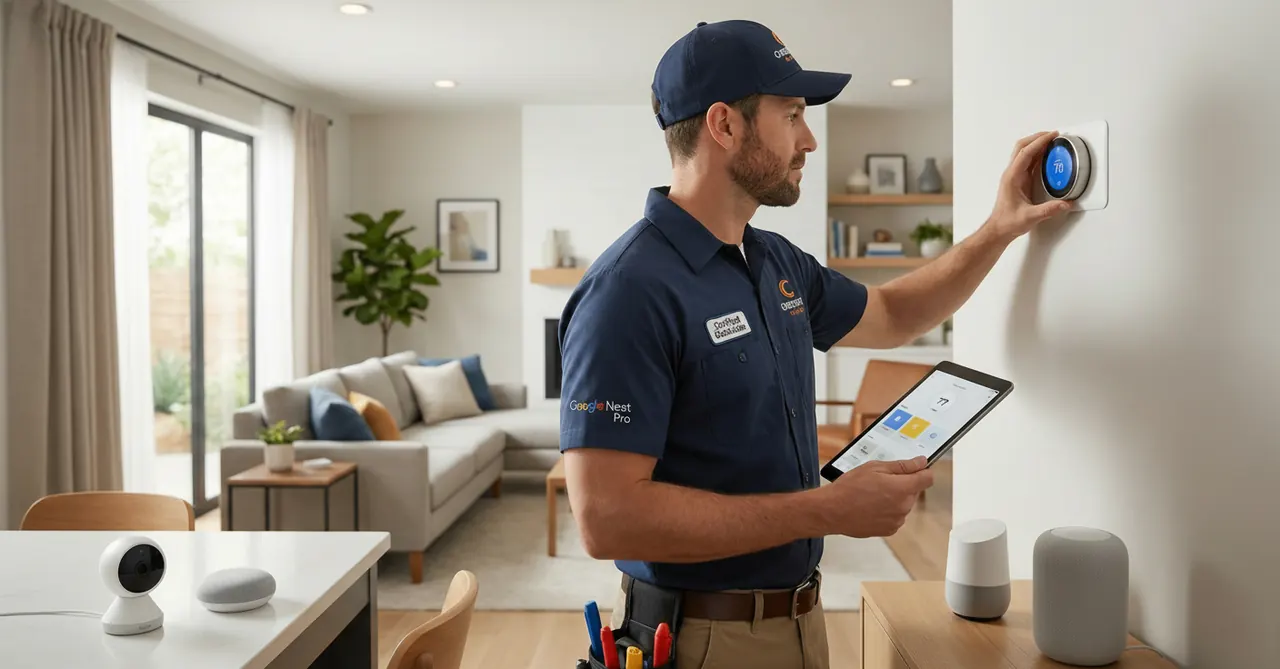
You bought the smartest tech for your home. Don't install it the dumb way.
We get it. It's tempting. You just bought a new Google Nest Learning Thermostat or a Ring Doorbell, and the box says "Easy DIY Installation." You watch a 5-minute YouTube video, grab a screwdriver, and think, "How hard can it be?"
Three hours later, you're staring at a hole in your drywall, your furnace is blowing cold air, and your Wi-Fi camera won't connect.
Smart home technology is incredible, but it's only as good as its installation. In Fort McMurray, where our homes often have older wiring or complex HVAC systems to handle -40°C winters, a "simple" DIY job can quickly become a headache—or worse, a hazard.
Here is why hiring a Certified Smart Home Installer (like a Google Nest Pro) is the smartest investment you can make for your connected home.
1. HVAC Wiring is More Complex Than You Think
This is the #1 reason DIY smart thermostat installations fail.
Your old thermostat might have 2 wires or it might have 5. Do you know what a "C-wire" (Common Wire) is?
The Problem: Many older thermostats didn't require a C-wire to provide constant power. Modern smart thermostats do. If you hook up a Nest or Ecobee without one, it may steal power from your furnace's control board.
The Risk: This can cause your furnace to short-cycle (turn on and off rapidly), leading to expensive repairs or complete heating failure on a freezing night.
The Pro Solution: As certified installers, we check for a C-wire first. If you don't have one, we can safely install an "add-a-wire" kit or run a new wire from your furnace, ensuring your heating system is protected.
2. It Protects Your Warranty
Did you know that some manufacturers offer extended warranties if their product is installed by a certified professional?
DIY Risk: If you miswire a device and fry its internal circuitry, the manufacturer may deny your warranty claim, leaving you with a $300 paperweight.
Pro Advantage: When a Google Nest Pro installs your device, it's proof that it was done correctly according to the manufacturer's specs. This protects your investment.
3. We Integrate Your Entire Ecosystem
A smart home isn't smart if nothing talks to each other.
A homeowner might install a doorbell one weekend, a camera the next, and a thermostat a month later. The result is often three different apps that don't communicate.
A certified professional doesn't just screw devices to the wall; we configure the entire ecosystem. We ensure:
- Your Nest Hub automatically shows your doorbell camera when someone rings it.
- Your thermostat knows when your smart lock is engaged, so it can adjust the temperature when you leave.
- Your Wi-Fi signal is strong enough at the device's location (e.g., outside the front door or garage).
4. Safety First (Especially with Voltages)
Mixing up low-voltage (doorbell/thermostat) wires with high-voltage (light switch/outlet) wires is a recipe for disaster.
We have seen homeowners try to install smart light switches without realizing they don't have a neutral wire in the box. Trying to bypass this can create a serious shock or fire hazard. A certified electrician knows exactly how to handle line-voltage devices safely and to code.
The Bottom Line: Peace of Mind
You bought smart devices to make your life easier, not harder.
Save yourself the frustration of troubleshooting Wi-Fi connections, patching drywall, and worrying about your furnace. Let a certified expert handle the installation so it works perfectly from day one.
Ready to upgrade your Fort McMurray home? Crescent Electric is your local Certified Google Nest Pro installer. We handle everything from thermostats and cameras to smoke detectors and smart locks.
Book Your Smart Home Installation Today or call (587) 557-5494
---
The Unseen Backbone: Professional Wi-Fi & Network Setup
Your smart home is built on a foundation of data. If that foundation is shaky, the entire structure will fail. Consumer-grade Wi-Fi routers supplied by your internet provider are designed for basic browsing and streaming, not for supporting dozens of always-on, high-bandwidth smart devices.
A professional installation addresses the network first. We don't just connect your devices to your existing Wi-Fi; we evaluate and strengthen your entire network infrastructure.
Common Network Problems We Solve:
- Dead Zones: That spot in your backyard where you want a camera, or the garage where the smart opener needs a signal, but your Wi-Fi doesn't reach.
- Device Overload: A standard router can get overwhelmed with 20, 30, or 40+ connected devices (cameras, locks, switches, sensors, speakers), leading to dropped connections and lag.
- Incorrect Band Steering: Smart devices often require a 2.4 GHz network for range, but modern routers try to force them onto the 5 GHz band, causing connection failures.
The Crescent Electric Solution:
We design and implement robust network solutions tailored to your home's layout and device load. This may involve installing a professional-grade mesh Wi-Fi system (like Google Wifi or a Ubiquiti UniFi network) or strategically placed hardwired Wi-Fi Access Points (APs). By running dedicated Ethernet cables to these APs, we guarantee full-strength, reliable coverage throughout your property, from the basement media room in a Timberlea home to the detached garage in Gregoire. This ensures your 4K security cameras have the bandwidth they need and your smart thermostat never misses a command.
Fort McMurray Specific Installation Challenges
Installing technology in the Regional Municipality of Wood Buffalo isn't like installing it in a temperate climate. Our extreme cold, unique soil conditions, and diverse housing stock present challenges that only a local expert can anticipate and solve.
Wiring in Older vs. Newer Neighborhoods
In established neighborhoods like Thickwood or parts of Abasand, many homes were built before smart technology was a consideration. We frequently encounter: - No Neutral Wires: Many smart switches require a neutral wire for constant power. Older switch loops often omit this. A qualified electrician can safely run a new neutral or use a specialized switch that doesn't require one, avoiding dangerous and non-compliant workarounds. - Aluminum Wiring: While less common, some older homes may have aluminum wiring. Connecting modern copper-wired smart devices to this requires specific, code-approved techniques and connectors (like AlumiConn) to prevent hazardous overheating at the connection point.
In newer areas like Eagle Ridge or Parsons Creek, homes are modern, but builder-grade installations may still lack future-proofing. We can add "structured wiring," running a bundle of Ethernet and coaxial cables to key locations, making future additions of cameras, access points, or smart TVs a simple plug-and-play affair.
Outdoor Devices and The Deep Freeze
Installing an outdoor camera or doorbell in Fort McMurray means planning for -40°C. - Battery Performance: Lithium-ion batteries in many "wireless" devices perform poorly or fail completely in extreme cold. We recommend and install hardwired devices that draw constant power from your home's electrical system, ensuring they work when you need them most. - Moisture Ingress & Condensation: The rapid temperature swings can cause condensation inside device housings, leading to short circuits. We use weatherproof enclosures, drip loops in wiring, and silicone sealants to create a weather-tight installation that lasts. - Frost Heave: The ground here moves. Burying a cable for landscape lighting or a gate sensor requires knowing how deep to trench and how to protect the conduit from being sheared by frost heave, a lesson learned only through local experience. For residents in the rebuilt areas of Beacon Hill, ensuring these new installations are done to withstand our climate from day one is critical for long-term reliability.
Code Compliance & Technical Specs
A professional installation isn't just about making things work; it's about making them safe and compliant with the Canadian Electrical Code (CEC). As Master Electricians, we are bound by these rules. DIY installations often violate multiple code sections, creating hidden dangers and voiding insurance coverage.
Here are just a few CEC rules that apply to smart home installations:
- Rule 12-518 (Wiring in Ducts and Plenums): When we run a new C-wire for your thermostat through your home's HVAC ducting (a plenum space), we must use plenum-rated cable (e.g., FT6). Using standard thermostat wire in this space is a fire hazard, as it can release toxic smoke throughout your home if it burns. A DIYer is unlikely to know or use the correct cable type.
- Section 10 (Bonding and Grounding): When installing a 120V smart switch or outlet, Rule 10-406 mandates that all non-current-carrying metal parts of the electrical system (like the metal box in the wall and the yoke of the switch) must be bonded to ground. This is your primary protection against electric shock. We verify a continuous ground path for every line-voltage device we install.
- Section 26 (Installation of Electrical Equipment): This section governs the proper installation of all electrical equipment. For example, when we install a smart lighting relay module, it can't just be tucked loosely inside a wall cavity. It must be installed in an approved enclosure (junction box) and be accessible for future service, as per Rules 26-002 and 12-3014.
- Section 8 (Circuit Loading): Before adding significant new loads, like extensive smart landscape lighting or an EV charger integrated into your smart home, we perform a load calculation as per Section 8. This ensures your main panel and service have the capacity to handle the new equipment safely without overloading and tripping breakers. Any major work may require a permit from the RMWB, a process we manage for our clients.
Adherence to the CEC is non-negotiable. It's the difference between a safe, reliable system and a ticking time bomb.
Frequently Asked Questions
Do I need a certified electrician for a plug-in smart speaker or battery-powered camera? For simple plug-in devices like a Google Nest Hub or a purely battery-operated camera, you don't need an electrician for the initial setup. However, the value a professional brings is in optimizing its placement for network connectivity, integrating it with your other smart devices for automated routines, and ensuring you're getting the most out of its features. For any device that requires hardwiring, even low-voltage ones like doorbells, a professional is always recommended to avoid damaging your equipment or home's systems.
Can't I just watch a YouTube video to install my smart thermostat? While a video might show the steps for a "perfect" installation, it can't diagnose problems unique to your home. It won't know if you have aluminum wiring, a non-standard HVAC control board, or if the "C" terminal on your furnace is actually just a ground. We've seen many expensive furnace control boards fried by a simple misstep. Hiring a pro is an insurance policy against a multi-thousand dollar heating repair bill in the middle of January.
What is the biggest mistake you see with DIY smart home installs in Fort McMurray? The most common and dangerous mistake is incorrect handling of line-voltage (120V) wiring for smart switches and outlets. Homeowners often don't have a neutral wire in the switch box and try to use the ground wire as a neutral. This is a severe violation of the electrical code, energizes the entire grounding system of your home, and creates a massive shock and fire hazard. The second biggest mistake is underestimating our climate; outdoor cameras are often installed without proper weather sealing or a reliable hardwired power source, leading to failure in the first cold snap.
My Wi-Fi is weak in parts of my house. Can you fix that? Absolutely. In fact, a network assessment is a core part of our smart home installation process. A weak Wi-Fi signal is the number one cause of "unreliable" smart devices. We can install solutions ranging from a simple mesh network to a more robust system of hardwired Wireless Access Points (WAPs) to guarantee a strong, stable signal across your entire property, a service that is critical for larger homes in communities like Timberlea.
Is professional smart home installation expensive? The cost of installation is an investment in safety, reliability, and peace of mind. The price varies depending on the complexity and number of devices. A single thermostat installation is quite affordable, while a full home integration with lighting, security, and networking is a larger project. However, when you consider the cost of replacing a fried furnace board ($1000+), repairing drywall, or the potential for an electrical fire, professional installation often proves to be the more economical choice in the long run.
## The Hub and Load Management: Beyond Smart Bulbs
A professional smart home isn't a drawer full of disconnected smart bulbs — it's a centralized control architecture. We design around dedicated hubs (Hubitat C-8 Pro, Home Assistant Yellow, Lutron RA3, or Control4 EA-3) that take load off your residential Wi-Fi, eliminate cloud dependency, and survive Telus or Shaw outages without bricking your light switches.
For larger homes in Timberlea, Parsons North, and Stone Creek (often 2,400–3,800 sq ft on two or three storeys), Wi-Fi-only ecosystems collapse under their own weight once you exceed 40–60 connected devices. We use Z-Wave Series 800 (908.42 MHz) and Zigbee 3.0 (2.4 GHz) mesh protocols specifically because:
- Each mains-powered device acts as a repeater, extending range through 2x6 framing and engineered floor joists.
- Sub-GHz Z-Wave penetrates concrete basement walls in Beacon Hill and ICF foundations in Saprae Creek that cripple 5 GHz Wi-Fi.
- Mesh routing self-heals if a single device fails — your hallway lights still work even if a bedroom switch is dead.
> Local Expert Tip — Parsons Creek: Three-storey homes need a hub on the middle floor, not in the basement utility room. We've reclaimed dozens of "unreliable" smart homes just by relocating the hub.
Safety and Fire Integration: The Neutral Wire Problem
Most pre-2014 homes in Abasand, Beacon Hill, and Waterways were wired without neutral conductors at switch boxes — switches were "switch loops" with only the hot conductor present. Modern smart switches (Lutron Caséta, Leviton Decora Smart, Inovelli Blue) require a neutral to power their radios. DIY installers routinely:
- Use the ground conductor as a neutral substitute (a CEC violation under Rule 10-500 and a shock/fire hazard).
- Stuff a non-rated relay into a 2x4 box already at 80% fill capacity, violating CEC Section 12 box-fill calculations.
- Skip the de-rating required when bundling 14/3 in insulated walls.
A licensed electrician will pull a new 14/3 NMD90 from the panel (or fish a neutral from the closest junction) and update the box-fill math. We also hardwire and interconnect smart smoke/CO detectors per Alberta Building Code Section 9.10.19 — a single Nest Protect on a battery is not code-compliant for a permitted renovation.
The "Invisible" Infrastructure: Structured Cabling
True reliability is built into the walls. We pull Cat6A (10GBASE-T capable) to every TV location, ceiling-mounted Wi-Fi 6E access point, security camera, and home-office desk. Wireless backhaul is fine for a phone — it is not fine for a 4K Apple TV streaming during a -38°C January evening when every household in Eagle Ridge is doing the same.
Standard new-construction package for Fort McMurray:
- Patch panel in a 12U wall-mount rack (mechanical room or basement closet).
- Two Cat6A drops per TV, one per AP, one per camera, one per workstation.
- RG6 quad-shield for any starlink/satellite or future cable runs.
- Smurf tube (ENT) risers between floors for future fiber pulls.
> Local Expert Tip — Stone Creek: Builders rarely include conduit between the basement and the attic. Adding one 1" ENT riser during framing costs ~$120 and saves $2,000+ later when you want to add a rooftop Starlink or attic-mounted AP.
Frequently Asked Questions
Do I need a permit to install smart switches in Fort McMurray?
Yes — any work that modifies branch-circuit wiring (including adding a neutral, replacing devices in boxes that don't meet fill, or installing line-voltage dimmers on LED loads) requires an electrical permit issued through the Regional Municipality of Wood Buffalo. Licensed contractors pull these on your behalf.
Can I mix Z-Wave, Zigbee, and Matter devices?
Yes, with the right hub. Hubitat, Home Assistant, and SmartThings all bridge protocols natively. Matter-over-Thread is the emerging standard but still has limited device support in 2026 — we typically deploy a hybrid Z-Wave 800 + Matter design to future-proof the install.
Will smart switches work during a power outage?
The switch itself loses power, but a properly designed system stores all automations on the local hub (battery-backed via UPS) and resumes instantly when grid power returns. Critical lighting can also be tied to a Generac standby generator with an automatic transfer switch.
